Chapter 25 - Terraform Provisioners
Post deploy configuration with Terraform
Provisioners
Should be used as a last resort. The connection block can either go inside of the resource block or the provisioner block
file
resource "azurerm_linux_virtual_machine" "mylinuxvm" {
  name                = local.vm_name
  computer_name       = local.vm_name # Hostname of the VM

connection {
    type = "ssh"
    host = self.public_ip_address
    user = self.admin_username
    private_key = file("${path.module}/ssh-keys/terraform-azure.pem")
  }
# or
  provisioner "file" {
    source = "apps/file-copy.html"
    destination = "/tmp/file-copy.html"
    connection {
      type = "ssh"
      host = self.public_ip_address
      user = self.admin_username
      private_key = file("${path.module}/ssh-keys/terraform-azure.pem")
    }
}
Self reference
This is used instead of typing out the resource information when you reference something from inside of a resource block.
  connection {
    type = "ssh"
    host = self.public_ip_address
    user = self.admin_username
    private_key = file("${path.module}/ssh-keys/terraform-azure.pem")
  }
Creation time provisioner
If this provisioner fails, then the resource will be marked as tainted. You can change this behavior by adding in an on_failure attribute flag.
You can copy files, content to a file, or complete directories.
  # Single file
  provisioner "file" {
    source = "apps/file-copy.html"
    destination = "/tmp/file-copy.html"
  }
  # Content copy
  provisioner "file" {
    content = "VM Host name: ${self.computer_name}"
    destination = "/tmp/file.log"
  }
  # FOLDER COPY
  provisioner "file" {
    source = "apps/app1"
    destination = "/tmp"
  }
  # CONTENTS of FOLDER WILL BE COPIED
  provisioner "file" {
    source = "apps/app2/"
    destination = "/tmp"
  }
on_failure
- continue - apply is successful, just not provisioned.
- fail (default) - taints the resource
Example:
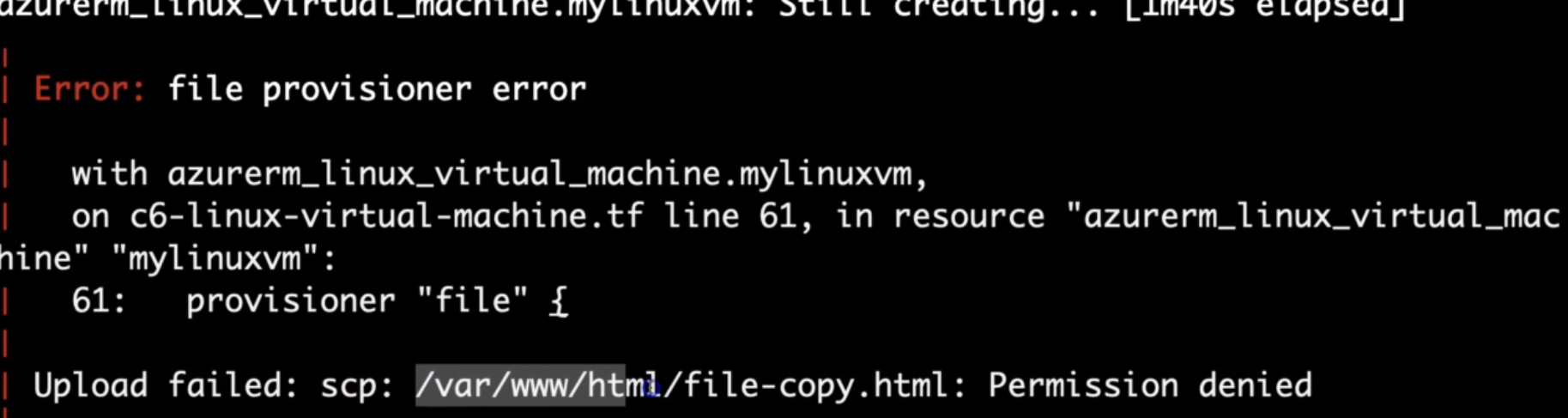
If you would like to manually troubleshoot and get it working, then you can use the terraform untaint command to untaint the resource.
Demo
- Create SSH Keys
- Create VM
- Play with the provisioners
- Verify on the machine
remote-exec provisioner
https://developer.hashicorp.com/terraform/language/resources/provisioners/remote-exec This sends a command to the vm to run INSIDE of the VM
# copy the file outside from the terraform folder to the vm
  provisioner "file" {
    source      = "apps/file-copy.html"
    destination = "/tmp/file-copy.html"
  }

# this one will copy the file INSIDE of the server from one directory to another directory using sudo
  provisioner "remote-exec" {
    inline = [
      "sleep 120", # Will sleep for 120 seconds to ensure Apache webserver is provisioned using custom_data
      "sudo cp /tmp/file-copy.html /var/www/html"
    ]
  }
local-exec provisioner
https://developer.hashicorp.com/terraform/language/resources/provisioners/local-exec The opposite of a remote-exec. This one runs on the machine that the terraform command is running on.
This can be used to create files in your local repository on creation or destruction of resources.